Prioritization Matrix Template
Decide what to build first, with evidence. Open this prioritization matrix, place each initiative by value and complexity, and export an editable PowerPoint slide.
Open this template → or start from scratch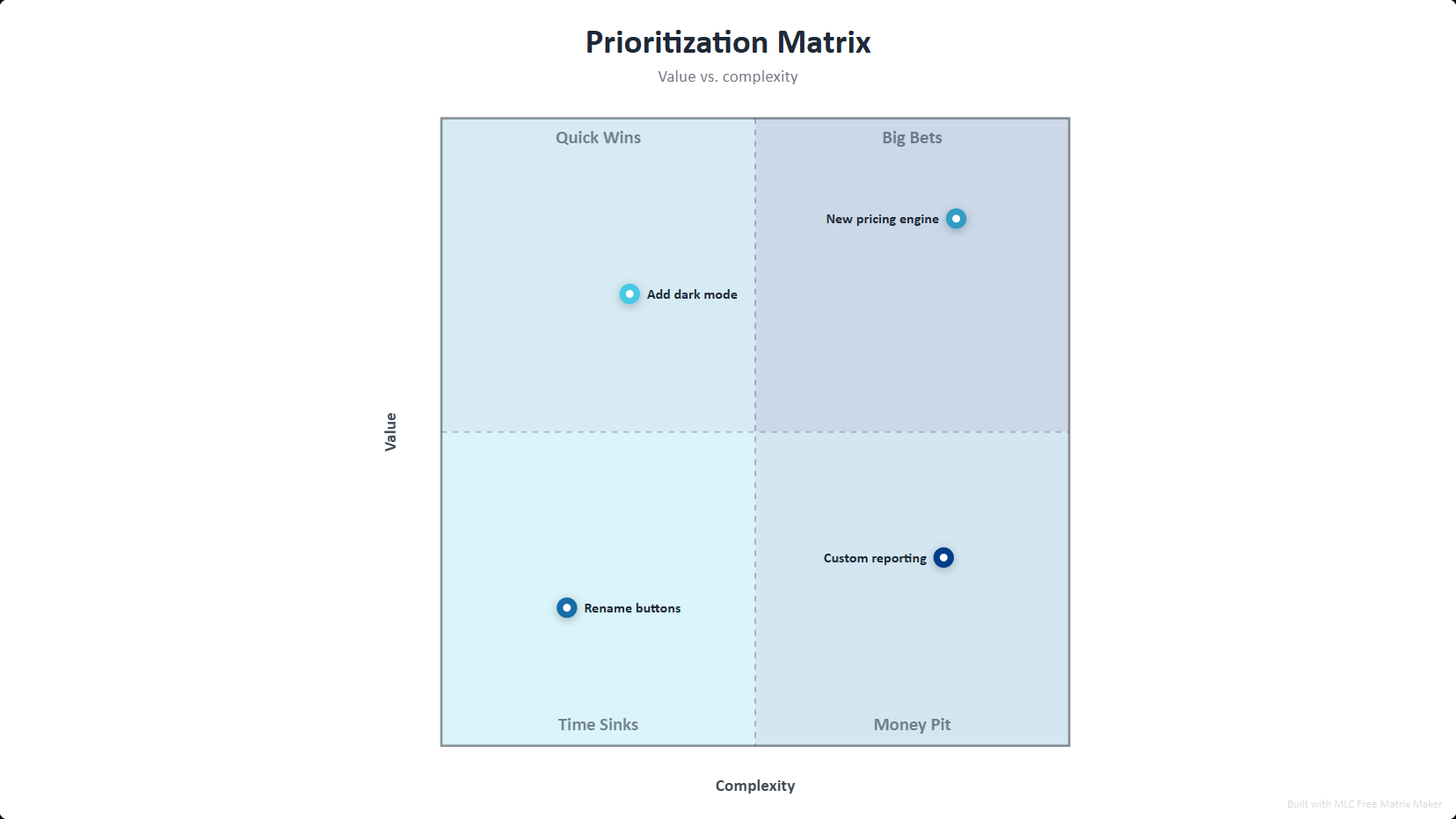
What is a prioritization matrix?
A prioritization matrix scores each option on two axes, most often the value it creates against the complexity or cost of delivering it. Quick Wins are high value and low complexity, so they go first; Big Bets are high value but hard, so they get planned properly; Time Sinks and Money Pits get dropped. It turns an argument about opinions into a conversation about position.
How to use this template
Open the template
Click the button above — the prioritization matrix opens in the editor, already filled in. No account or password. A one-time professional profile unlocks all exports for one year.
Edit your data
Replace the sample entries with your own; the chart updates live as you type.
Style it
Pick a visual style and color palette to match your deck.
Export to PowerPoint
Download a .pptx with native, editable shapes — or PNG and Excel.
Ready in two minutes
Open the prioritization matrix template, drop in your data, and export a native, editable PowerPoint slide. No account or password. A one-time professional profile unlocks all exports for one year. No watermark.
Open this template →Why export to PowerPoint matters
Most free chart tools give you a flat PNG, or lock PowerPoint export behind a paywall. This template exports real, editable PowerPoint shapes and text — so you can drop the chart straight into your deck and restyle it in PowerPoint, Google Slides or Keynote. That is the difference between a picture and a slide.
Frequently asked questions
A 2x2 that ranks options by value against complexity, so the sequence of work falls out of the picture instead of out of the loudest voice in the room. This template labels all four quadrants.
Yes. Rename both axes and all four quadrant labels to match how your team actually scores work.
Yes, native editable PowerPoint shapes, plus PNG and Excel.
Yes, 100% free, no account or password. A one-time professional profile unlocks all exports for one year. No watermark.